
Save once.
Paste forever.
A local clipboard for the text, images, files, and videos you paste every day. Pinned snippets, folders, search, one-click insert into WhatsApp Web and Gmail. Nothing leaves your machine.
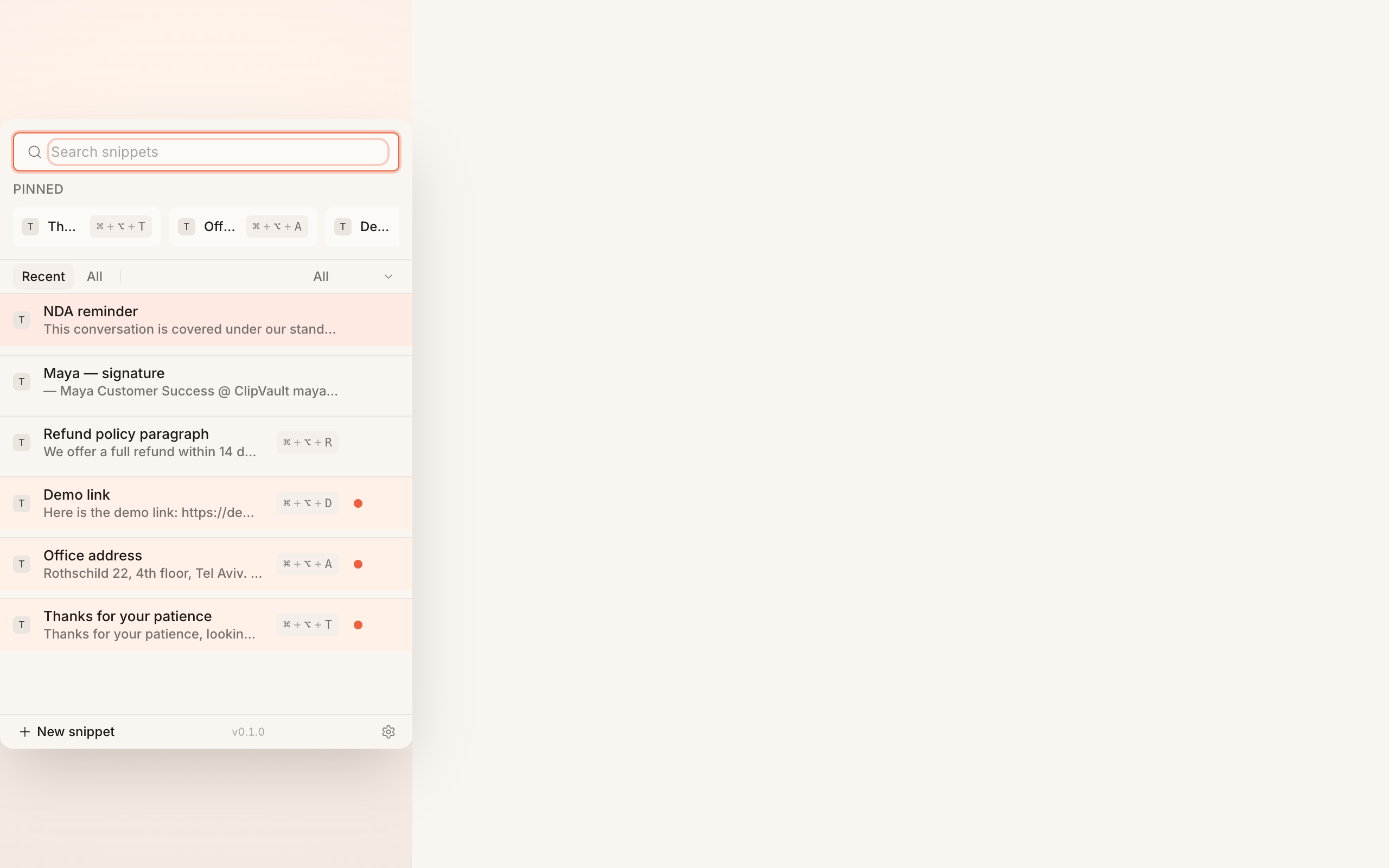
Every kind of paste
Text, images, files, and videos in one library. Pin the eight things you reach for most so they're a single click away.
Click to copy
Click any snippet in the popup — it copies to your clipboard with a confirmation toast. Cmd/Ctrl+V to paste in any app, anywhere.
WhatsApp & Gmail attach
The OS clipboard can't carry a video into WhatsApp Web. ClipVault adds an Insert button right next to the composer that does.
No cloud, no account
Stored in your browser's IndexedDB. No analytics. No sync server. No upgrade nudges. You can verify zero network traffic in DevTools.
Built for the things you re-type forty times a day
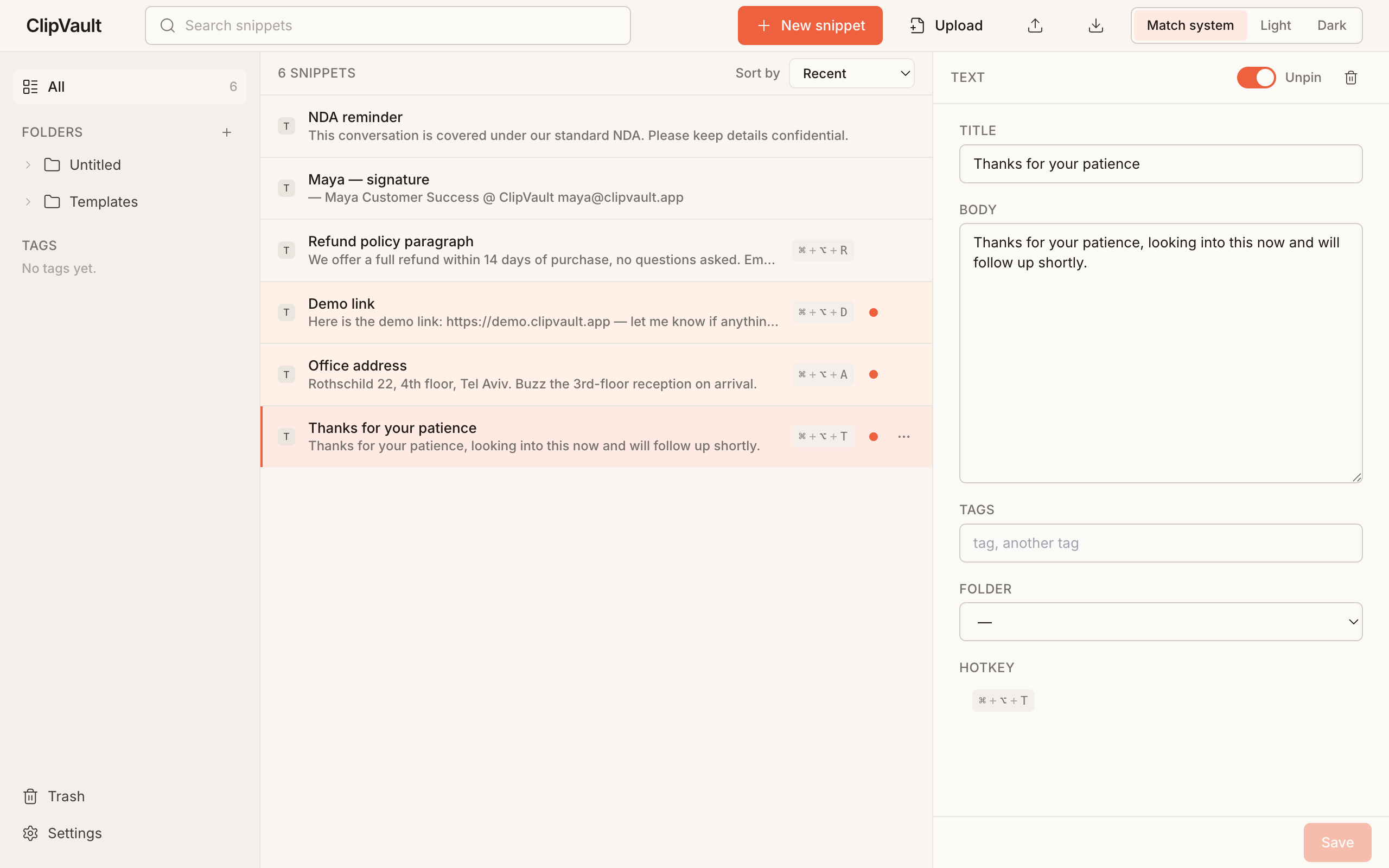
Folders, tags, full-text search, light and dark themes, RTL when you need it. The full options page on a real workday.
Install
Add ClipVault from the Chrome Web Store. No account, no setup wizard. The popup opens with the shortcut Cmd+Shift+V.
Save
Right-click any text or image on the web and pick Save to ClipVault. Or drag files straight into the options page.
Paste anywhere
Click any snippet in the popup to copy it to your clipboard with a confirmation toast. Use the Insert button next to the WhatsApp Web and Gmail message fields for one-click file attach.
It's free, and it stays on your machine
ClipVault is open source under the MIT license. Snippets are stored in your browser's IndexedDB. The extension makes zero network requests, has no analytics, and is not part of any sync service. Read the full policy below.